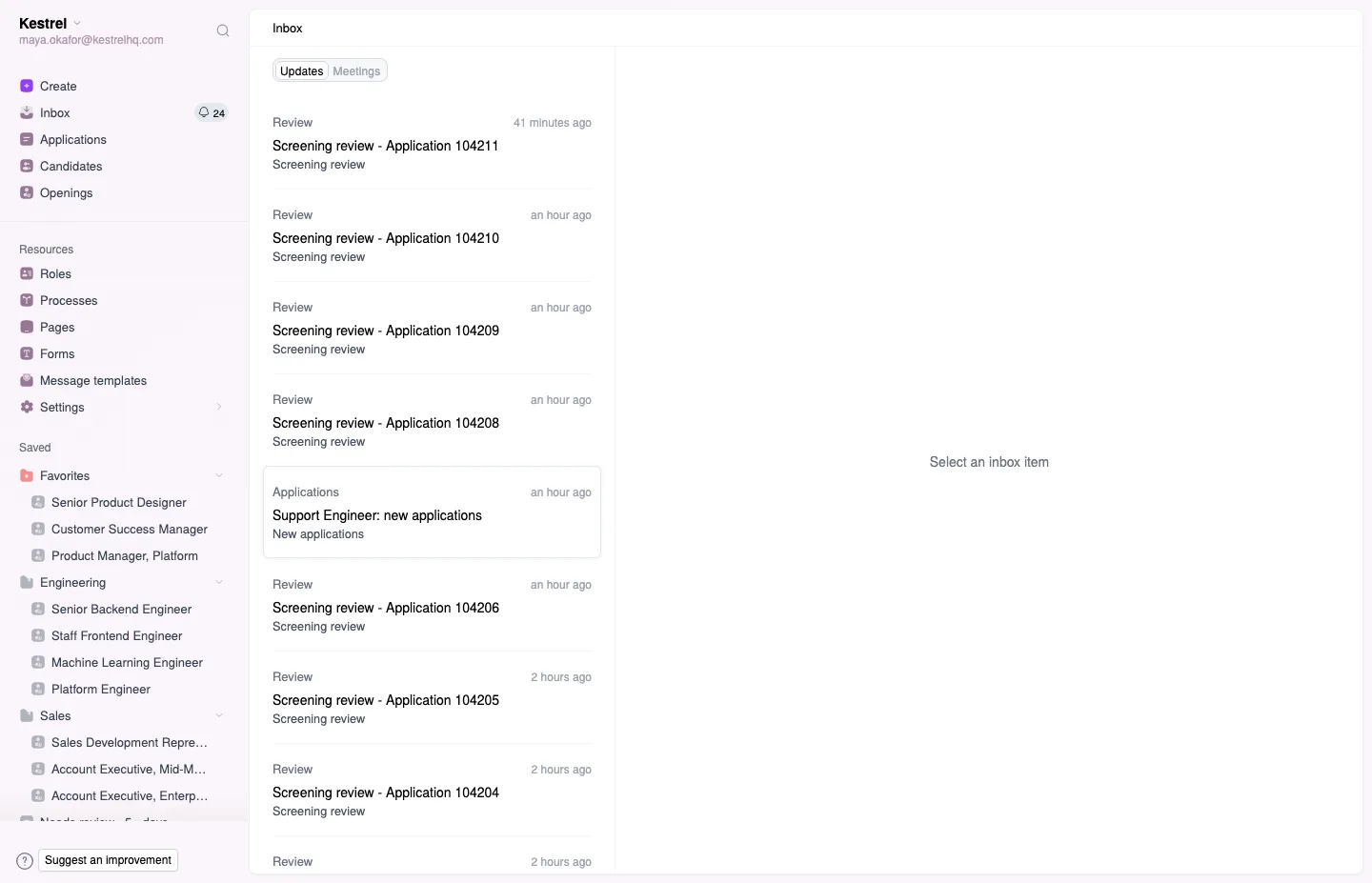
An Unmatched Interface
Fast grids, a command palette and saved views make every action feel instant.
Swipe to explore
Fast grids, a command palette and saved views make every action feel instant.
Add your own fields, roles and attributes, so Ornelle adapts to your process and not the other way around.
Updates, replies and reminders run themselves, so candidates never wait and your team keeps its time for the human parts.
Every message with a candidate, and every note, review and decision, lives in one shared place, not in someone's personal inbox.
Hiring on your own or alongside a hundred colleagues, Ornelle fits the way you work.

Start free and be hiring in minutes. Keep track of where every candidate came from and who referred them, write your process in plain sentences, and publish a careers page without a developer.

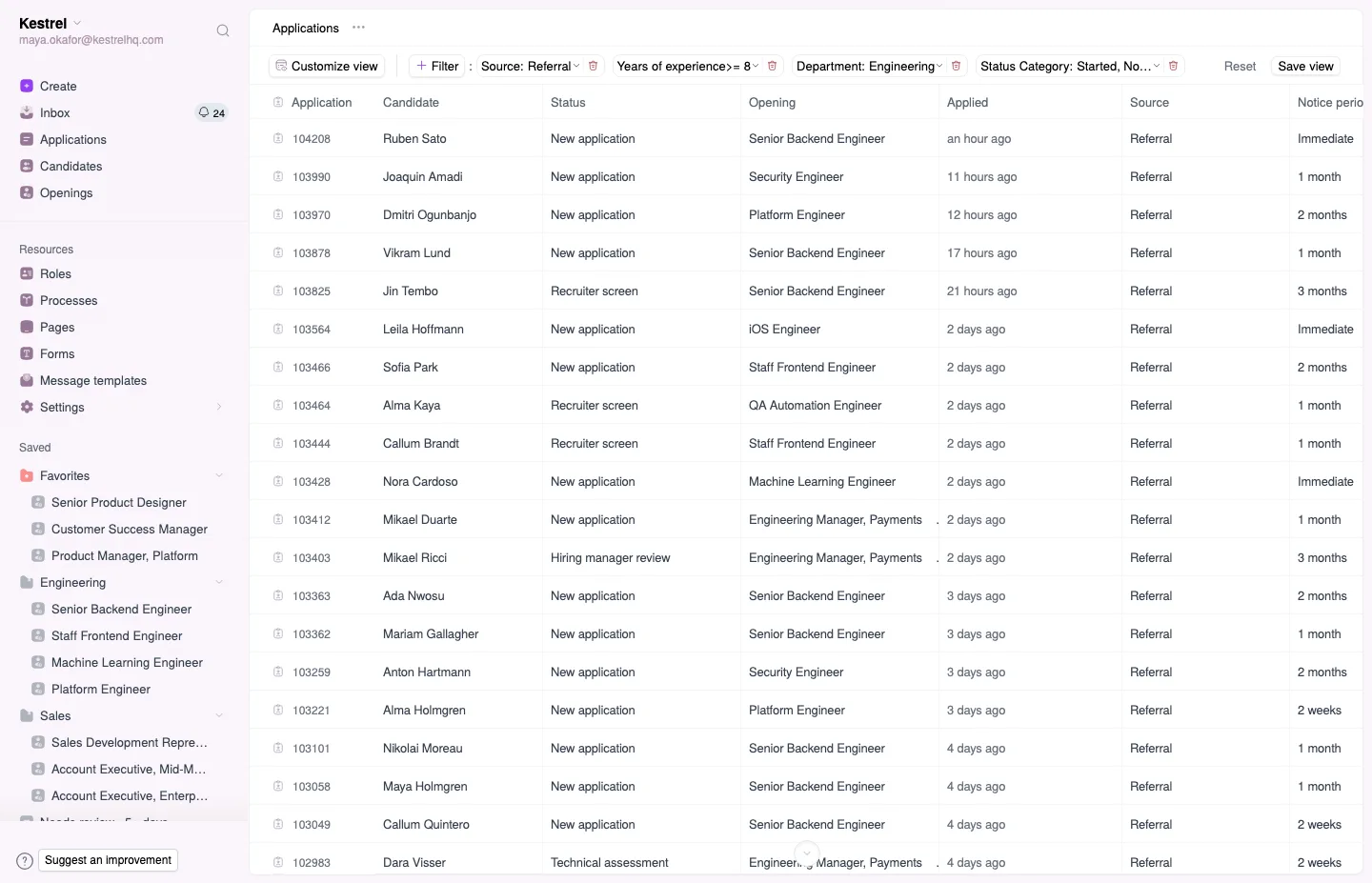
Filter by experience and past employers, keep a saved view for every role, and let workflows send the updates, so the work scales with the pipeline and not with the headcount.

Run structured evaluations with review forms, give each person the access they need, and let every team work in its own way, all in one workspace.

Keep a saved view for every role, reuse your processes and message templates, and let workflows send the updates, so every candidate hears back while you move on to the next search.
Built in, not bolted on, and all in one system.
Run a separate workspace for each company or team, and switch between them from one account.
Create as many workspaces as you need, one for each company, team or client. Each keeps its own people, openings and pages, and you move between them from a single menu.
Invite your teammates and give everyone a seat in the workspace.
Invite your teammates by email and give each of them a permission that decides what they can see and do. Everyone you add gets a seat in the workspace, and one list shows who has joined and who is still pending.
Decide what recruiters, hiring managers and interviewers can see and do.
Create permission groups that decide what each person can see and do, down to creating, reading and updating each kind of record. Give a group to anyone on the team, and change it whenever your team changes.
Publish your openings on a page that looks like your company, with your own application questions and spam kept out.
Build your careers page in a simple editor. Write in your own words, and type / to add headings, lists, images and a live list of your openings. Candidates open a role and apply, and every application lands in your workspace.
Ask candidates exactly what you need to know, and keep every answer with their application.
Build the forms behind your hiring process: review forms for your team and questions for candidates. Add fields from a simple menu of plain and ready-made types, and attach a form to any opening.
Collect structured feedback from everyone involved, and keep the decision in one place.
Ask the right people for a structured opinion. Each reviewer gets your questions in their inbox, answers in one place, and recommends the candidate or says they are not a fit. The decision stays with the application.
Set up your hiring process from simple steps, and let it assign tasks, reply to candidates and move them forward.
Name your process and pick its steps from a simple list: a screening, an intro call, interviews and more. Ornelle writes the whole process out in plain sentences, with who reviews each step, which message goes out and where the candidate moves next.
Email candidates from their application, and keep the whole conversation with their record.
Message a candidate from their application. Start from a saved template or from a blank message, drop in variables such as their first name, and send. The message is kept in the application's activity, next to every note and status change.
Reusable messages for outreach and status updates, ready at the right moment.
Save the messages you send again and again as templates, each with a name, a subject and a body. Drop in variables such as the candidate's first name, and pick a template whenever you message a candidate or set up a process.
Send a link and let candidates book a time that works, on everyone's calendar.
Ask a candidate to schedule a meeting and they get a link to a simple booking page. They pick a day and a time that works for them, in their own time zone, and the booking is confirmed on the spot.
Find openings, applications and candidates as you type, forgiving typos, including what is inside resumes and notes.
Press Cmd+K from anywhere and start typing. Applications, candidates and openings show up as you type, and the arrow keys take you to the one you want. The same box also runs commands, such as creating an opening.
Press Cmd+K to jump to any person, opening, template or setting, or to create something new.
Press Cmd+K and type what you want to do. Create an opening, invite a teammate, jump to any page or setting, or switch workspace, all from the keyboard and without leaving the page you are on.
Keep the filters and columns you use every day, one click away in your sidebar.
Save any set of filters and columns as a view, and it appears in your sidebar. Keep views in folders, make one public for the whole team, and open any of them with a click.
On by default for every careers page, with an optional bot challenge for any opening.
Spam protection is on by default for your careers pages. Applicants pass a quick bot challenge before they can submit, a hidden field catches bots, and the number of submissions from one sender is limited. If the challenge ever gets in the way, you can turn it off.